
Why DashScene works
Most screens ask for attention. DashScene earns it by being useful first, with live information people have a reason to check. Custom appearance themes help each Dash feel at home in its space, while commercial displays can build on that attention with promotions and QR codes.
Useful first
Live transit and local weather give people a helpful reason to look, with useful information ready for whatever comes next.
Keep people informed
From transit disruptions and weather warnings to public emergency alerts, DashScene helps people notice information that may affect their plans or safety.
Make it feel like yours
Choose colours, fonts, and backgrounds that make each Dash feel connected to the space and people around it.
Turn attention into action
Commercial Dashes pair promotions with trackable QR codes that make the next step easy to take.
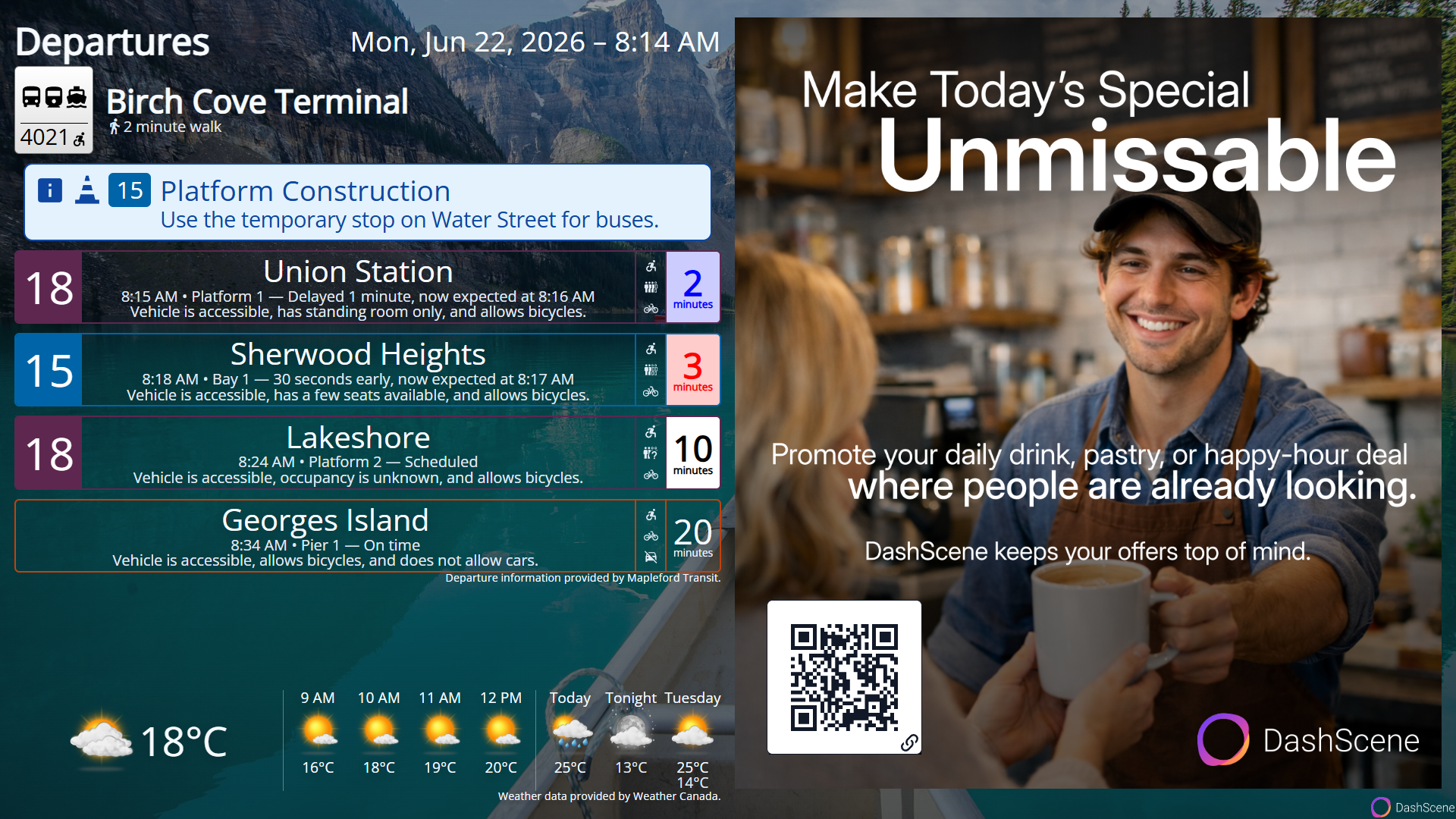
Useful information is the hook. Your message is the follow-through.
Most advertising has to interrupt people to be noticed. DashScene starts with something they already want to see. That gives your business a better moment to speak, when customers are already looking, already engaged, and ready for what comes next.
- Reach people at the right moment. Schedule promotions by date and time, or have them appear when relevant weather conditions make the message especially timely.
- Manage one Dash or an entire network. Group connected Dashes together and coordinate promotions across multiple displays from one place.
- Know how much visibility each message received. See how often an advertisement appeared and how long it was shown in total.
- See when attention becomes engagement. Track scans for most DashScene QR code types to understand when someone takes the next step.
Highlight an offer, promote a service, invite a review, or connect customers with whatever matters next.
Every Dash can have its own style
DashScene does not have to look the same everywhere. Custom appearance themes let each Dash take on a style of its own, with colours, fonts, and backgrounds that make the display feel more personal, more polished, and more at home in the space around it.


Where DashScene fits best
DashScene makes the moments when people pause, pass by, wait, or plan what comes next more useful.

Storefront windows
Give passersby something worth stopping for, then guide their interest toward an offer, menu, booking, or reason to step inside.

Cafés and counters
Make ordering, waiting, or staying awhile more worthwhile, giving customers another reason to linger and discover what else you offer.

Offices and lobbies
People notice what helps them. Make waiting more useful, and give your business’s messages a better chance to be seen and acted on.
Simple to get up and running
Putting useful information on screen should not become a project of its own.
Start with a supported device you may already have, or choose a pre-built option when you want something ready to pair.
Start with what you have
Use a supported tablet or computer you already own, or choose a pre-built DashScene device.
Build before you sign up
Choose your layout, region, weather location, and transit stops, then preview your Dash before creating an account.
Pair it to the display
Bring the Dash you created onto your screen using a simple pairing code.
Keep it current from anywhere
Update information, appearance, and commercial promotions in DashScene Manager without returning to the display.

One glance before you go
The day often starts with the same questions: When should I leave? What is the weather doing? Has anything changed?
A Personal Dash keeps the answers somewhere everyone at home can see before heading out.
Before you get started
DashScene brings live transit, local weather, transit disruptions, weather warnings, and public emergency alerts together in one customizable digital display. It is designed for businesses, homes, offices, storefronts, cafés, waiting rooms, and other shared spaces. Commercial Dashes can also show scheduled promotions and trackable QR codes.
Yes. You can explore live Commercial, Personal, and Transit Agency demos, or use guided setup to choose your layout, region, weather location, and transit stops. You can then preview the information on your Dash before creating an account.
DashScene currently supports transit in and around Calgary, Edmonton, Vancouver, Victoria, Halifax, Ottawa, Toronto, Markham, Mississauga, Vaughan, and Charlottetown. Broader regional and intercity coverage is available through GO Transit and VIA Rail Canada.
Supported agencies currently include Calgary Transit, Edmonton Transit Service, TransLink, BC Transit in Victoria, Halifax Transit, OC Transpo, STO, the Toronto Transit Commission, Union Pearson Express, T3 Transit, GO Transit, and VIA Rail Canada.
Transit support depends on agencies publishing schedule and real-time information in formats DashScene can use, including GTFS Static and GTFS Realtime. If your agency is not available, guided setup lets you submit it and request a one-time notification if support is added.
You can also help move things forward by encouraging your local transit agency or municipal government to publish its transit data for public use.
Commercial promotions can use DashScene-generated QR codes to open a website, prepare an email or text message, place a phone call, save contact information, add a calendar event, or connect a device to Wi-Fi. Most QR-code types are trackable, allowing businesses to see recorded scans. Wi-Fi QR codes are not trackable.
DashScene reports how many times an advertisement was shown and the total amount of time it appeared on screen. For most trackable QR-code types, it also reports recorded scans, helping businesses distinguish between the exposure a message received and the engagement it generated.